
Use this page to access financial aid forms or set up direct deposit to receive funds from Fanshawe, such as bursaries, scholarships or awards.


Do you need to complete an attestation, affidavit or other non-standard supporting document as part of your application for funding?
Fillable affidavit templates – marriage status:
Signing up for EFT payment (pre-authorized direct deposit) is easy and secure. Funds are transferred from Fanshawe directly to your bank account.
Log in to WebAdvisor
Trouble with your password? Contact the IT Service Desk - you will need your student number.
(Note: only you have access to add, update, view or change this information.)
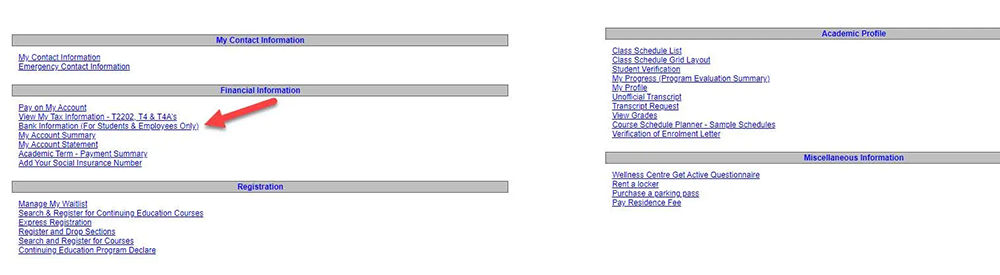
From the Students menu, under Financial Information, select Bank Information (For Students & Employees Only).
Scroll down to the Banking Information section and click '+Add an Account'.
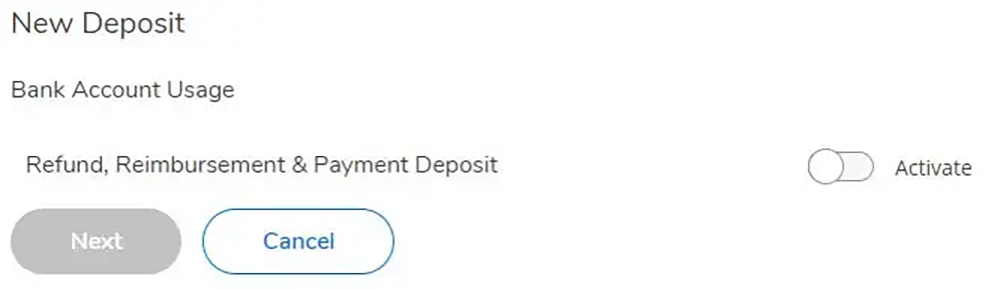
Click the 'Activate' slider to allow Refund, Reimbursement & Payment Deposit (ensure it turns blue), then click 'Next'.
Choose an effective date. If this is your first time entering banking information, the effective date would be today. If you have previously added banking information and you are now making a change, choose the past date when this change became effective or the future date when it will become effective.
(The date follows the American standard format of MM-DD-YYYY)


(Note: only you have access to add, update, view or change this information.)
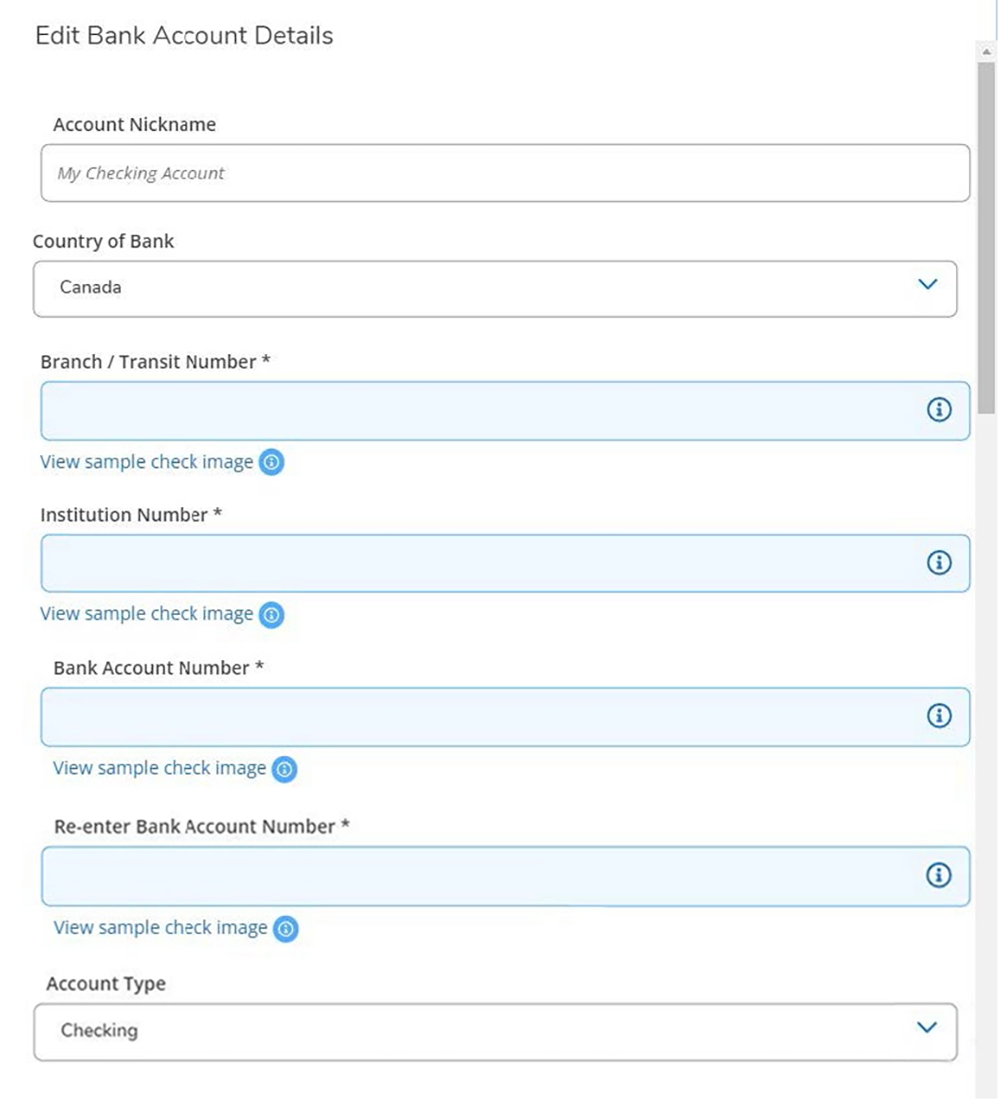
Provide the branch/transit, institution and account numbers
Agree and Submit
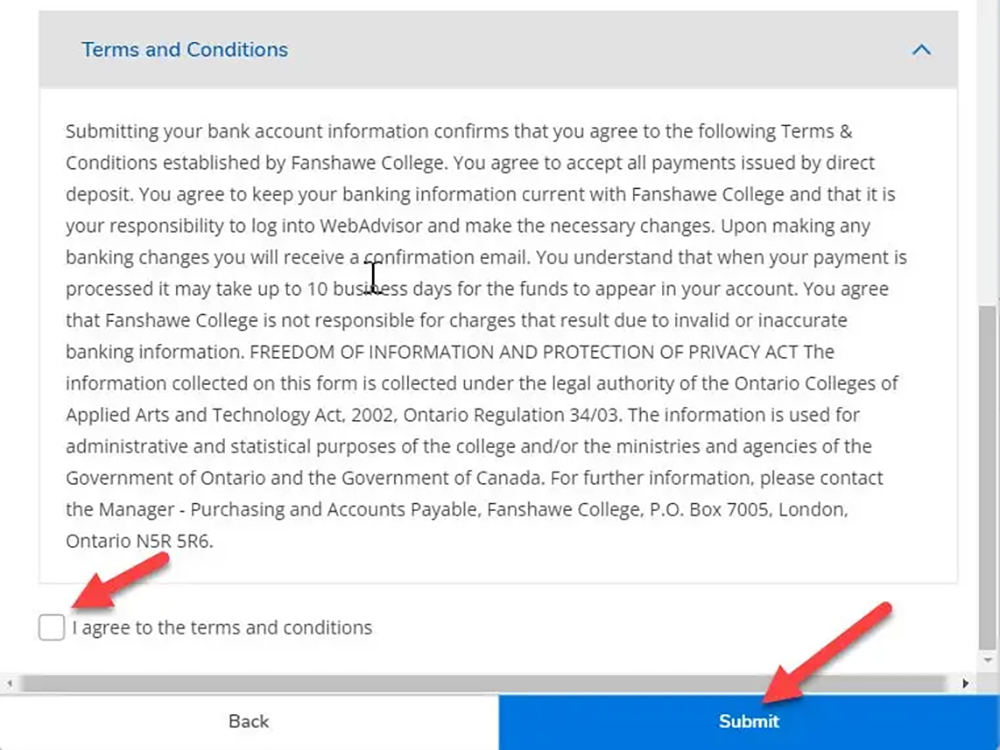
Read the Terms and Conditions, click the 'I Agree' check box, then click 'Submit'.
You have now set up Electronic Funds Transfer to allow direct deposit payments from Fanshawe College.